Skills: Teach Your Assistant How Your Team Works
Team skills let you reuse instructions for recurring work and invoke them by handle in chat.
By David Hemphill ·
Skills give your team a place to keep procedures for the assistant. Instead of explaining how to prepare an incident note or review a specification every time, write the instructions once and invoke the skill when the task comes up.
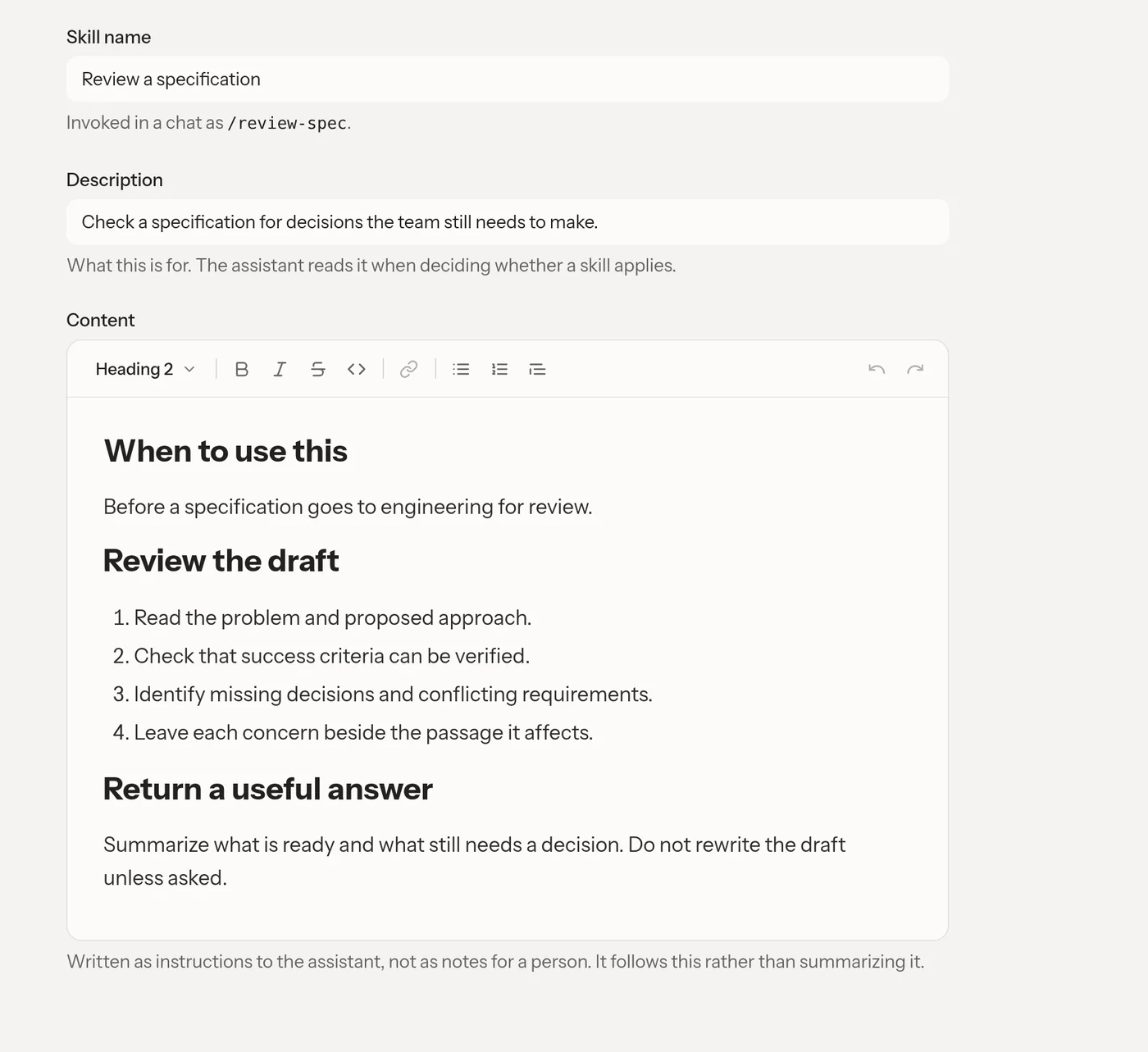
Write the procedure once, then call it by handle when you need it.
A skill is a Markdown procedure with a name, description, and handle. Type its handle in a chat to call for that procedure; the transcript links the handle so you can get back to what was invoked. Skills work across the chat surfaces rather than belonging to a single conversation.
Write the body as instructions to the assistant: when the procedure applies, what steps to take, and what a useful result must contain. A template supplies a document's starting shape; a skill explains how to do the work. A source file supplies evidence, not instructions to obey.
Because skills change how the assistant works for the team, their maintenance is admin-controlled. They are single procedures, not bundles of hidden reference files.
Open Livemark and use Skills in the sidebar to turn one recurring prompt into a team procedure.