Organizations: One Home for All Your Teams
Keep each team's people and documents separate, with one place to manage your organization.
By David Hemphill ·
An organization can now contain several teams. Add a team beside your current one for a separate group of people and documents, or start a different organization for work that should stay administratively separate.
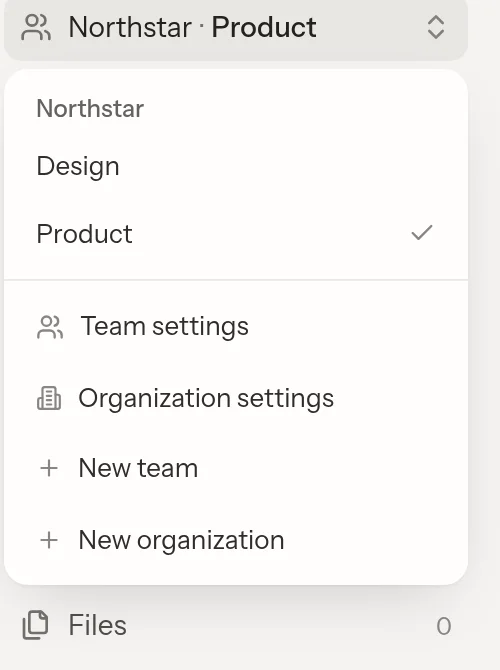
Move between teams without losing sight of the organization they belong to.
The switcher groups teams under their organization. Organization owners and admins manage people and teams from organization settings, but reading a team's work still requires membership: an admin adds themselves, and the team's admins are notified. Removing someone from the organization removes their team memberships without deleting the work they wrote.
The in-app assistant stays within the team of its conversation. Connected MCP agents can work across the teams you belong to, resolving the team for each call; they are not limited by the web tab you last opened.
Open Livemark and use the team switcher to organize your work.