Command Palette: Your Work, a Shortcut Away
The command palette searches by name, recalls recent work, and offers actions for the page you are on.
By David Hemphill ·
Press ⌘K, or Ctrl+K off a Mac, to open Livemark's command palette. It finds documents, projects, your chats, files, templates, skills, and settings by name, and offers the actions available on the current page.
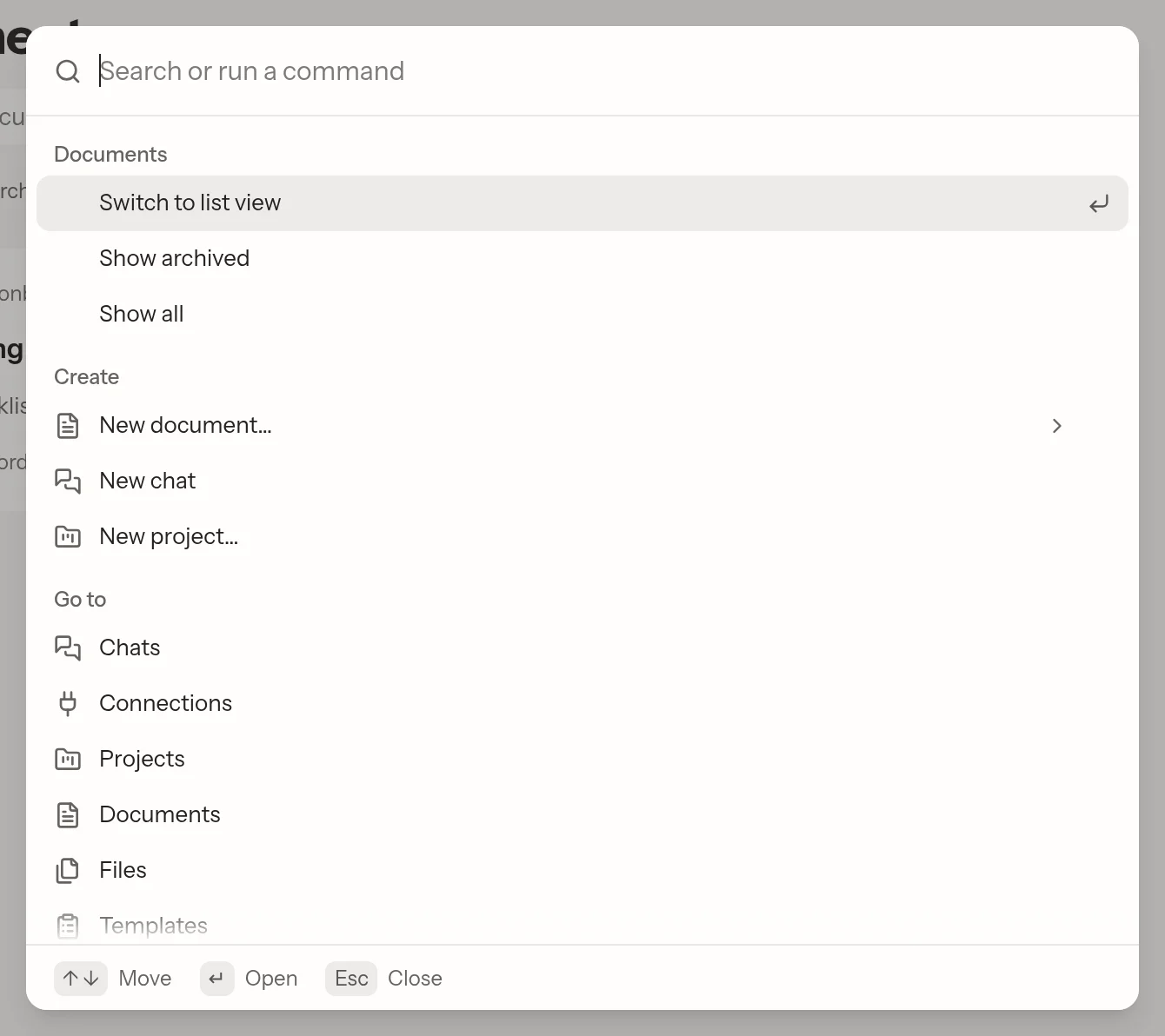
Jump to your work or take the next action without hunting through menus.
That makes it useful for more than navigation. In a document, you can find panels, version actions, status controls, the link, or Markdown download without remembering which menu holds each one. On a project, the available commands follow the work on that page. With no query, recently opened items give you a route back.
Search now stays in the sidebar under the team switcher on every page, rather than moving between page headers and the editor. On a phone, the palette opens full screen. If you have text selected in a document, ⌘K still means adding a link.
This is name-based navigation, not a promise to search every word inside every document. For regularly used work, you can also pin documents, projects, and chats to the sidebar and order those pins yourself.
Open Livemark and press the shortcut to find your next draft.