Personal Memories: An Assistant That Remembers Your Preferences
Personal memories keep your preferences separate from shared project and team decisions.
By David Hemphill ·
The assistant can now keep memories about you, not just the team or project. A preference such as British spelling or shorter replies should not need to be repeated whenever you open a new conversation.
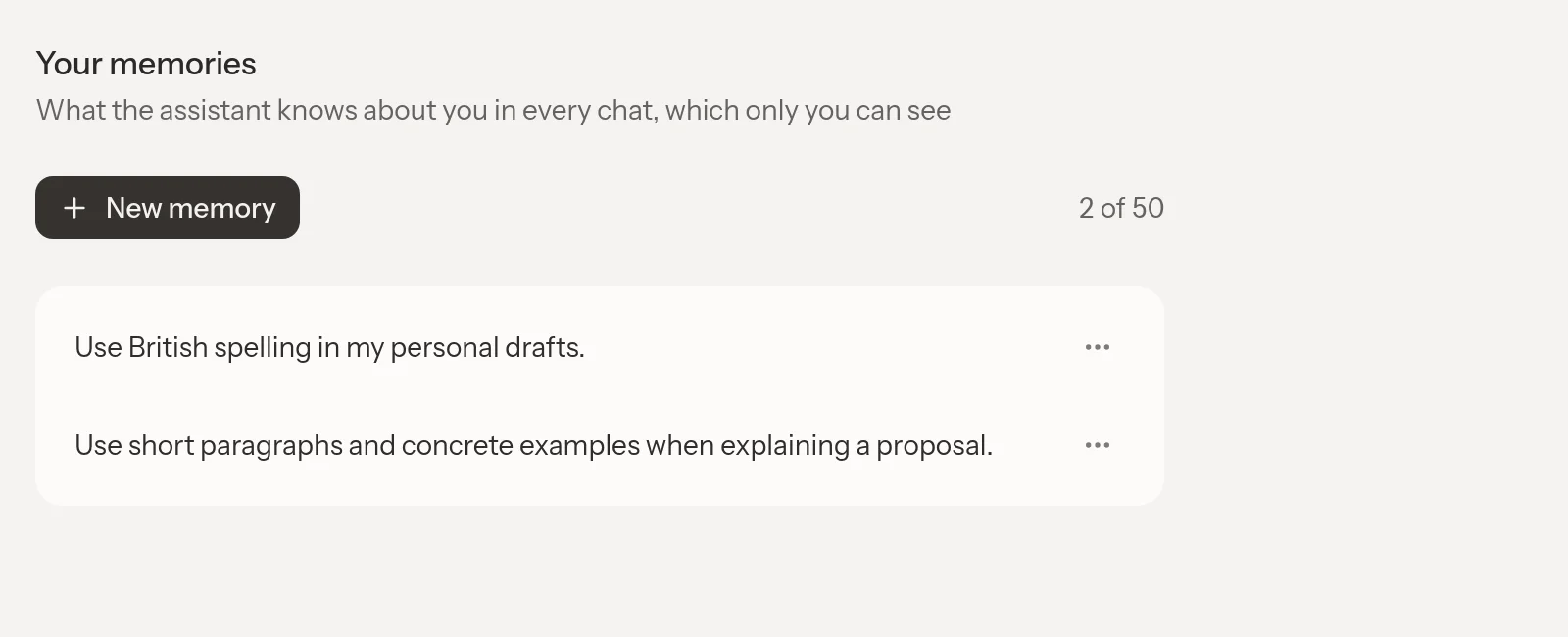
Keep the preferences you want your assistant to remember, and edit them whenever they change.
Personal memories are visible only to you and are read by the in-app assistant across your chats, including when you change teams. Settings has a Your memories page where you can add, edit, or delete them. There is room for up to 50 notes, each up to 500 characters: short, useful context rather than another document library.
A memory card in chat can move a note between personal and team scope when it was saved in the wrong place. That distinction matters. Your preference for brief replies belongs to you; a decision about a project's requirements belongs with the people working on it.
Personal preferences do not overrule the team's conventions in shared writing. The assistant is instructed to keep private notes out of shared replies, rather than repeat your personal context to collaborators.
Open Livemark and visit Settings → Your memories to review what the assistant should remember about you.