Style Guides: Keep Your Team Writing in One Voice
Feature-gated style guides combine live mechanical checks with guidance the assistant can read and maintain.
By David Hemphill ·
Livemark's writing-style work gives a team one place for its preferred terms, mechanical rules, and broader writing guidance. Where the feature is enabled, the editor underlines supported rule violations as you type and gathers issues in a Style panel.
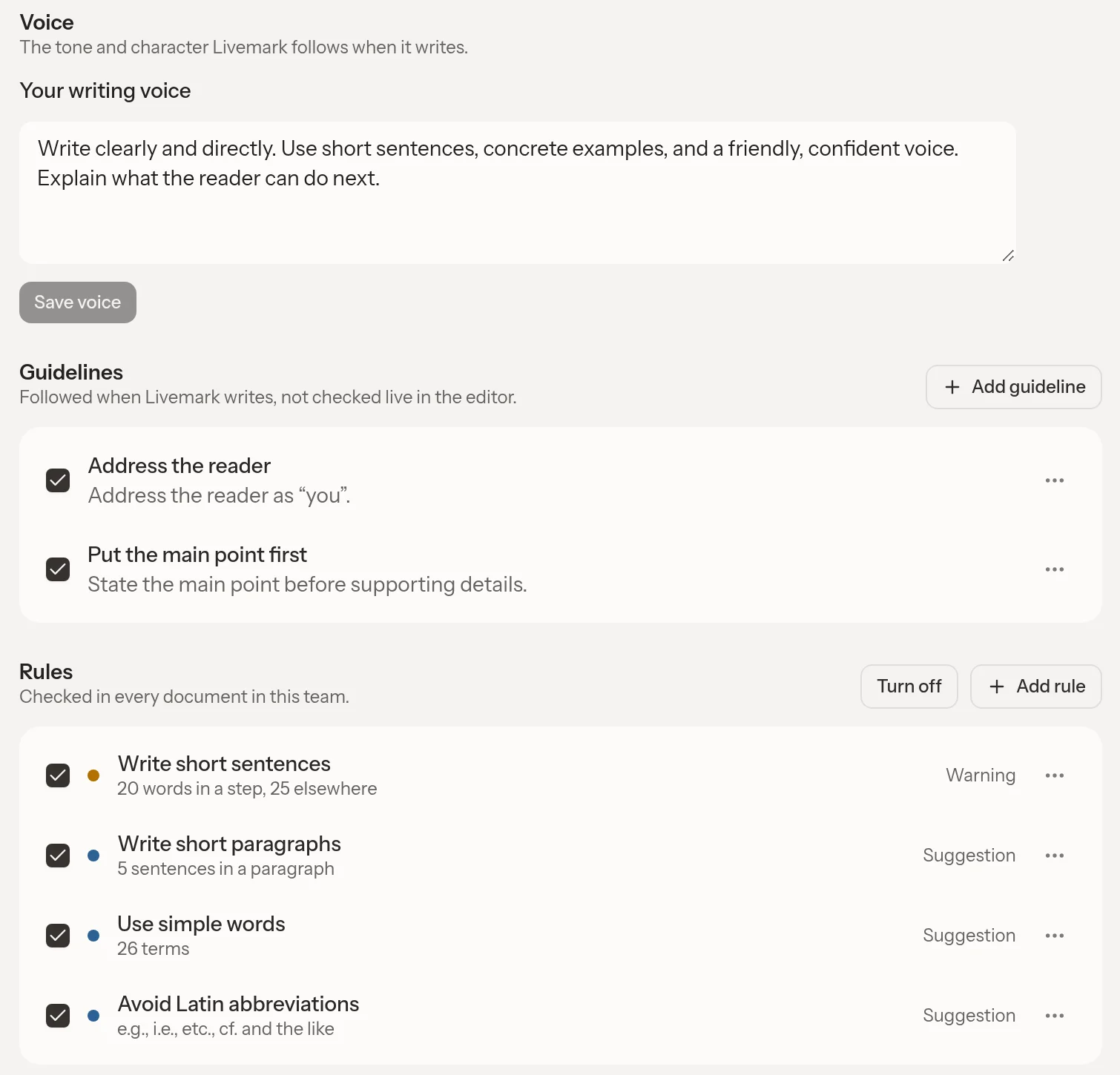
Your team's voice, writing guidelines, and style rules in one place.
The distinction between rules and guidance matters. A preferred spelling or a mechanical pattern can be checked directly. A guideline such as “avoid unnecessary abbreviations” asks for judgment; saving it does not automatically create a live underline for every possible violation.
The assistant can read the team's style and, when an admin asks, save or correct a writing guideline from chat. Team writing instructions belong in that guide rather than being filed as project memories. Updating a guideline preserves the instruction and its examples instead of reducing the rule to a single word replacement.
This remains feature-gated and off by default. AI-assisted style checks and rule suggestions have separate gates, so the presence of the implementation does not mean every team has every check available. It is not a universal grammar checker.
Open Livemark and use Style if it is enabled for your team; start with a few rules your writers can explain and maintain.